
AI app builders have changed what a founder can do in a weekend. Describe what you want, and tools like Lovable, Bolt, Cursor, Replit or v0 will write the code, set up a database and give you something that works. People call it “vibe coding”, and it’s a genuinely great way to test an idea.
The catch is that “it works” and “it’s safe” are not the same thing. AI tools optimise for getting the feature running. They don’t always add the checks an experienced developer would, and they rarely tell you what they skipped. Before you invite real users, take payments or store anyone’s personal data, run through these eight checks.
1. No secrets in the code or the browser
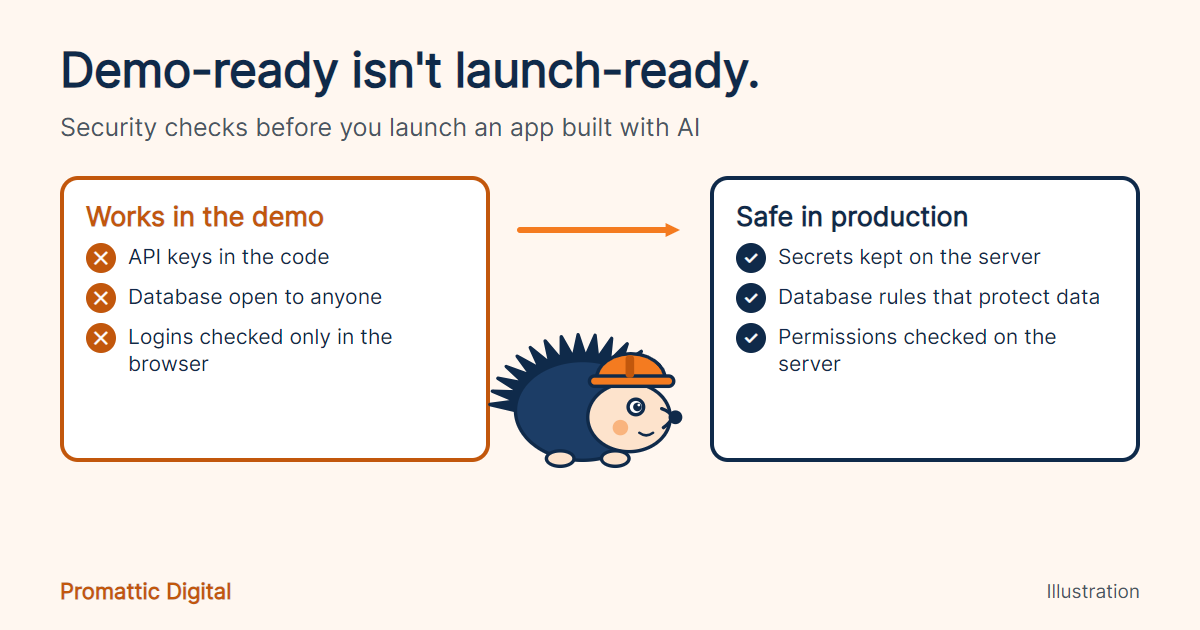
API keys, database passwords and payment keys should never appear in your code repository or in anything that runs in the user’s browser. AI tools sometimes paste keys directly into files to get things working.
Check: search your project for anything that looks like a key or password. Move secrets into environment variables on the server, and rotate (replace) any key that was ever exposed, even briefly.
2. Database rules that actually protect data
Many AI-built apps use services like Supabase or Firebase, where security rules decide who can read and change each piece of data. If the rules are missing or too open, any logged-in user, or sometimes anyone at all, can read other people’s records.
Check: make sure row-level security (or the equivalent) is switched on, and test it: log in as one user and try to load another user’s data. You should be refused.
3. Logins and permissions checked on the server
Hiding an “Admin” button in the interface isn’t security. If the server doesn’t check who’s asking, anyone who finds the right web address can use admin features.
Check: every action that reads or changes data should confirm, on the server, that the user is logged in and allowed to do it.
4. Payments confirmed by the payment provider
If your app marks an order as “paid” because the browser said so, someone can fake that message. Payment status should come from your payment provider directly, usually through a verified webhook.
Check: confirm that payment success is verified on the server and that webhook signatures are checked.
5. User input treated with suspicion
Anything a user types, uploads or sends to your app could be malicious. Unsafe database queries and unescaped content can let attackers read data or run scripts in other users’ browsers.
Check: use your framework’s built-in safe query methods, validate inputs on the server, and limit file upload types and sizes.
6. Limits on how often things can happen
Without rate limiting, one person (or a bot) can hammer your login page, flood your forms or run up a huge AI or email bill overnight.
Check: add limits to logins, sign-ups, password resets, contact forms and any feature that calls a paid API.
7. Up-to-date dependencies
Your app is built on dozens of open-source packages. Some may have known security issues, especially if the AI picked an old version.
Check: run your package manager’s audit command (for example, npm audit) and update anything flagged as high or critical.
8. Errors, logs and backups
Detailed error messages can reveal how your app works to attackers, and without logs you won’t know when something goes wrong. Without backups, one bad change can wipe your data.
Check: show users friendly error messages, log the details privately, set up error monitoring, and confirm your database backups work by testing a restore.
A quick pre-launch routine
- Search the code for secrets, then rotate anything exposed.
- Test data access by logging in as two different users.
- Try admin pages and actions while logged out.
- Make a test payment and confirm the server verifies it.
- Run a dependency audit.
- Check that rate limits, error monitoring and backups are in place.
The bottom line
Vibe coding is a brilliant way to get an idea in front of people quickly. Just give your app the same care you’d give anything that holds other people’s data and money. A few hours of checking before launch is far cheaper than a data leak after it.
Want a second pair of eyes before you launch? Book a free 30-minute call and we’ll explain how our code audit for AI-built apps works for your project.