
You can write the best cold email in the world, but if it lands in spam, nobody reads it. And since Gmail, Yahoo and Microsoft Outlook tightened their sender rules, more email than ever is being filtered or rejected outright before it reaches anyone.
This guide explains the rules in plain English and gives you a checklist to keep your outreach landing where it should: the inbox.
What changed
Google and Yahoo announced stricter requirements for bulk senders in late 2023 and began enforcing them in 2024. Microsoft announced similar rules for Outlook consumer addresses in 2025. Enforcement has steadily tightened since, and email that doesn’t meet the rules is increasingly rejected at the server, not just sent to spam.
The strictest rules apply to “bulk senders”, usually defined as sending around 5,000 or more messages a day to one provider’s addresses. Most cold email campaigns send far less than that, but don’t let that make you relaxed. The same signals decide whether any email gets delivered, and the basics are expected from everyone.
The three records every sender needs
SPF: who may send for you
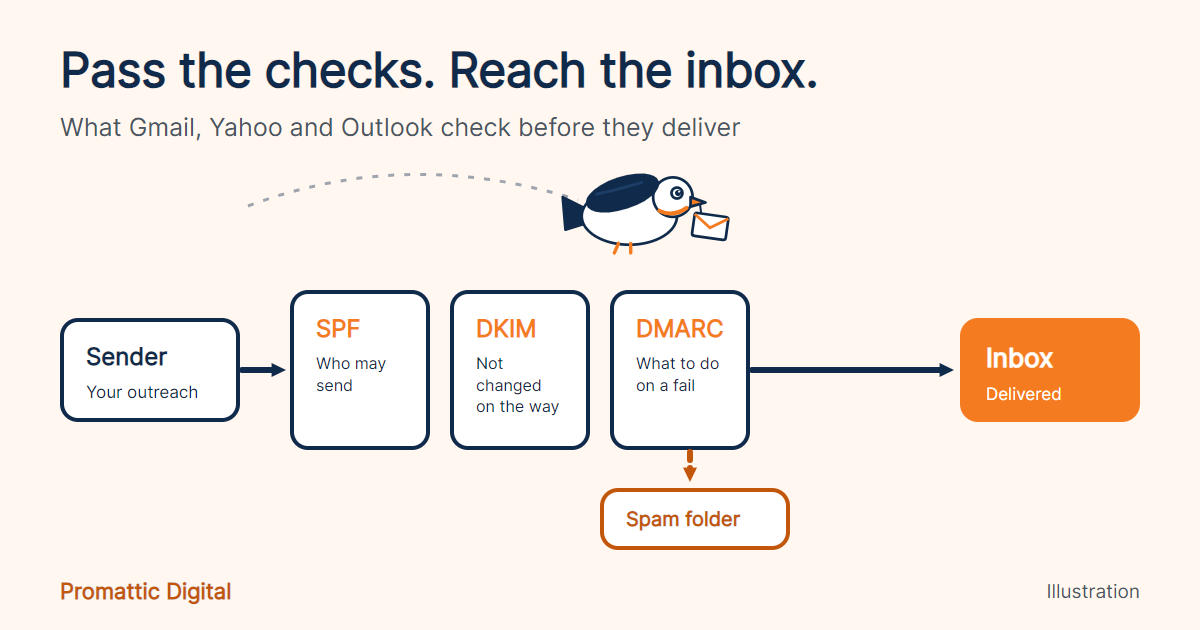
SPF (Sender Policy Framework) is a DNS record that lists the services allowed to send email from your domain. If your outreach tool isn’t on the list, receiving servers have a reason to distrust the message.
DKIM: proof the message wasn’t changed
DKIM (DomainKeys Identified Mail) adds a digital signature to each email. The receiving server checks it against a public key in your DNS to confirm the email really came from you and wasn’t altered on the way.
DMARC: what to do when checks fail
DMARC tells receiving servers what to do with email that fails SPF or DKIM, and sends you reports about it. At minimum you need a DMARC record (a policy of p=none is the usual starting point), and your “From” domain must line up with the domain that passed SPF or DKIM.
The other rules that matter
- Keep spam complaints very low. Google and Yahoo point to a spam-complaint rate below 0.3%, and many deliverability experts aim for under 0.1%.
- Make unsubscribing easy. Marketing and bulk email needs a working unsubscribe, and bulk senders need one-click unsubscribe headers. For cold outreach, a simple “reply ‘no thanks’ and I won’t email again” line, honoured promptly, is good practice.
- Use valid DNS and secure connections. Sending servers need proper reverse DNS (PTR) records and TLS encryption. Reputable sending tools handle this for you.
- Look like a real sender. Accurate “From” names and addresses, no misleading subject lines.
Why cold email needs extra care
Cold email goes to people who haven’t heard from you before, so there’s less goodwill to protect you. A few habits make a big difference:
- Use separate sending domains. Send outreach from domains like getyourcompany.com rather than your main domain, so a deliverability problem never touches your day-to-day email.
- Warm up new inboxes. Start with small volumes and increase gradually over a few weeks.
- Keep daily volumes modest per inbox. Spread sending across several inboxes instead of pushing one hard.
- Verify every address. Bounces damage your reputation fast. Clean lists before every campaign.
- Write for one person. Relevant, specific, short messages get replies, and replies are one of the strongest positive signals you can send.
- Go easy on links and images. Plain, conversational emails look like what they should be: one person writing to another.
Your deliverability checklist
- SPF record includes every tool that sends for your domain.
- DKIM is switched on for each sending service.
- DMARC record exists, and your From domain aligns.
- Outreach is sent from separate, warmed-up domains.
- Lists are verified, with bounces kept very low.
- Spam complaints are monitored, ideally with Google Postmaster Tools.
- Every email has a clear way to opt out, and opt-outs are honoured promptly.
- Daily volume per inbox is sensible and increases gradually.
- Messages are personal, relevant and light on links.
- You follow the outreach and data protection laws that apply to your market.
The bottom line
Deliverability isn’t a one-time setup. It’s a set of habits: authenticate properly, protect your main domain, send to clean lists, and write emails people want to reply to. Get those right and the stricter rules work in your favour, because the senders who cut corners get filtered out.
Not sure whether your setup passes? Book a free 30-minute audit and we’ll check your domains, records and outreach, and show you what to fix first.
Requirements change. Always check the latest guidance from Google, Yahoo and Microsoft before making changes to your setup.