
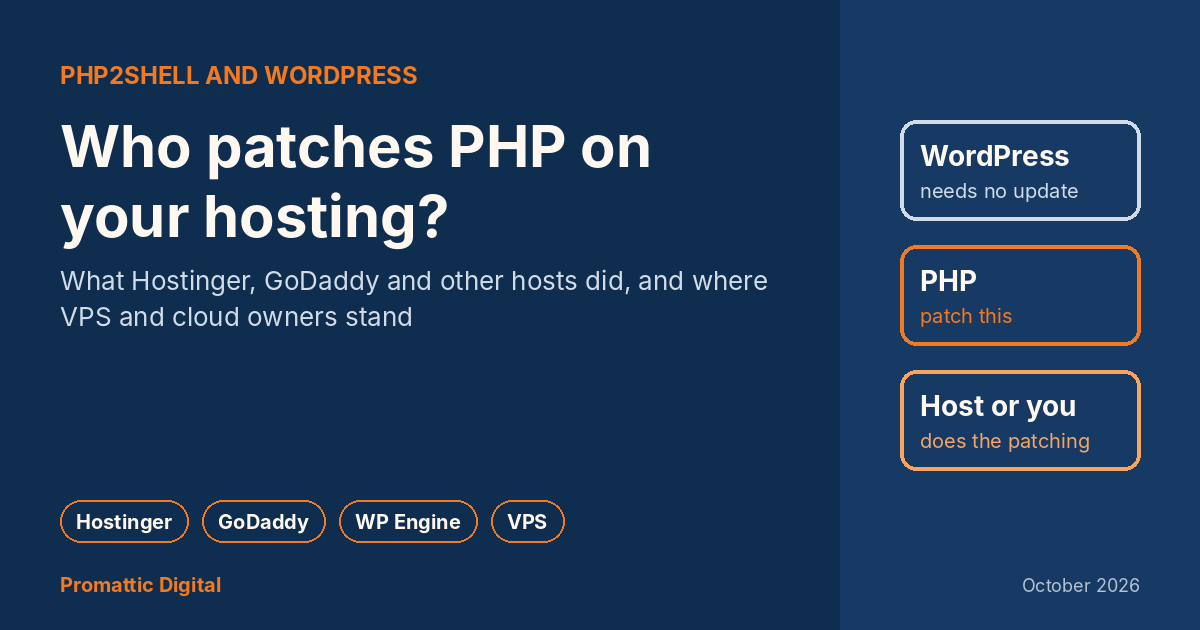
“Do I need to update WordPress?”
If you run a WordPress site, that is probably the first thing you asked this week. Short answer: no. WordPress.org said so on 21 October, in so many words: no WordPress update is required or planned for these issues.
The longer answer is the useful one. The flaw, PHP2Shell, is in PHP, the language WordPress runs on. Your WordPress dashboard can’t update PHP. Your host can, or on some plans, you have to. Which one applies to you depends entirely on the kind of hosting you bought.
Why WordPress didn’t need a fix
Think of WordPress as a shop and PHP as the building it sits in. The problem this time was with the building, so repainting the shop does nothing.
The two PHP holes (CVE-2026-109618 and CVE-2026-109619, rated 9.2 out of 10) affect any server running an unpatched version of PHP. Researchers at Calif showed it working against certain versions of WordPress, Drupal, Joomla and Magento, because all of them sit on PHP.
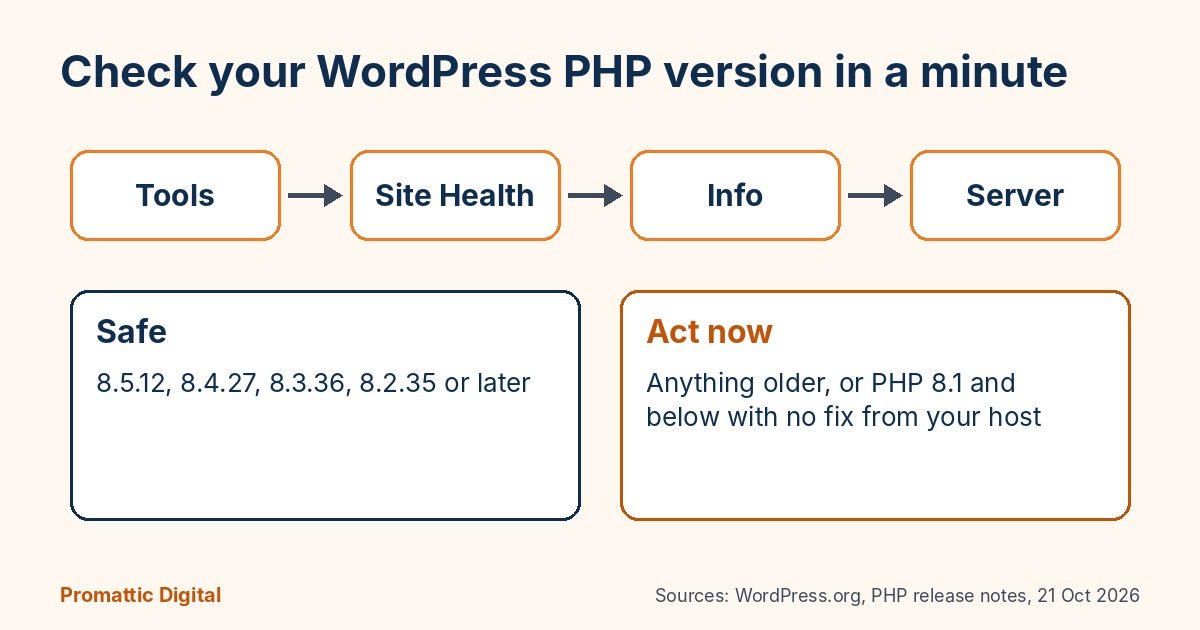
The fixed PHP versions are 8.5.12, 8.4.27, 8.3.36 and 8.2.35, released on 21 October 2026. If your site is on PHP 8.1 or older, there is no official fix from the PHP project. That is the group I worry about most.
What the big hosts did
I went through the hosts’ own posts and the reporting from the first 36 hours. Statuses were changing by the hour, so treat this as a snapshot from 23 October, and check your host’s status page for the latest.
| Host | What they did | Do you need to act? |
|---|---|---|
| Hostinger | Firewall rules blocking known attack patterns, then patched PHP across its platform. Finished rolling out by 22 October, 06:44 UTC. | Web, Cloud and cPanel plans: no. VPS: yes. |
| GoDaddy | Managed WordPress patched on 21 October. Windows Hosting patched early on 22 October. Web Hosting was deploying patches with temporary protections in place. | Hosting plans: no. VPS: yes, yourself or through their paid Expert Services. |
| WordPress.com and Automattic hosts (VIP, Pressable) | Worked with PHP’s security team ahead of the release, so sites were protected before it went public. | No. |
| SiteGround | Rolled out protections on all servers hours before the release. | No, per their update. |
| WP Engine | Protections at the network edge through Cloudflare and Fastly, then finished patching early on 22 October. | No. |
| Kinsta | Blocked attacks with Cloudflare rules while it tested patches, rolling them out by late on 21 October. | No. |
| Bluehost | Patched most servers, and warned customers they might see lower upload limits while it finished. | Usually no. Expect upload limits for a while. |
| Liquid Web | Still rolling out patches into 22 October. Told self-managed cPanel customers they could patch themselves. | Self-managed: yes. |
Hostinger also put out a line on X that it had tested the attack on its live servers and it could not be used to take over sites hosted with them, and that it was applying the fix anyway. I like that. It’s specific, and it doesn’t make the customer do anything.
VPS and cloud are a different story
This is the part most people miss.
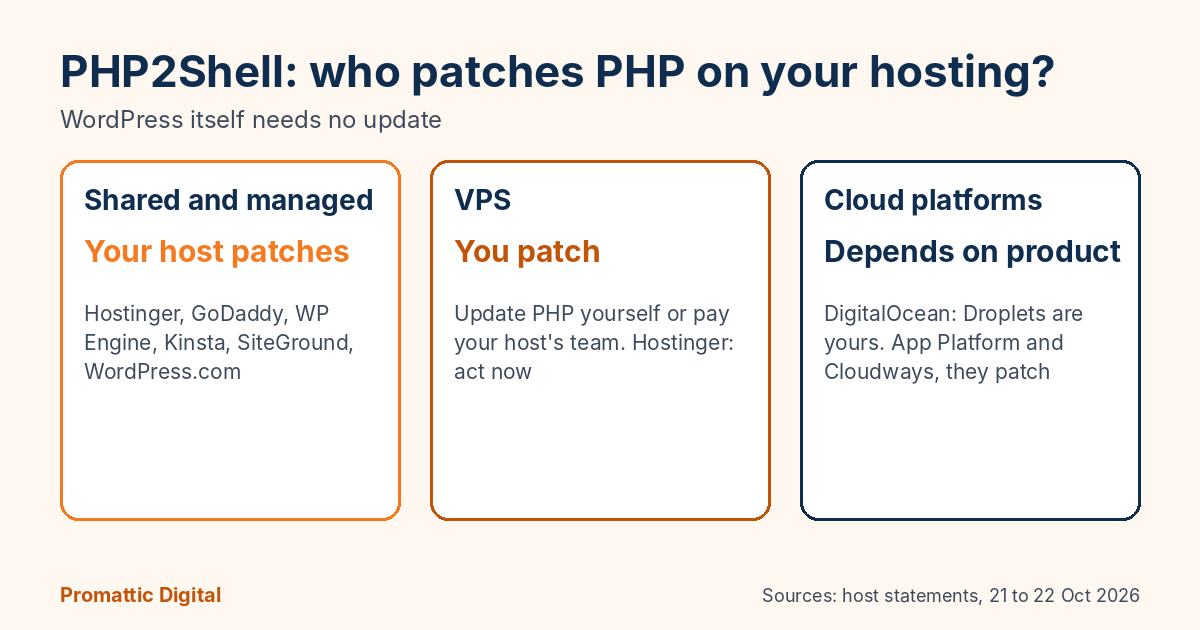
On shared or managed WordPress hosting, the host owns the server, so the host patches PHP. On a VPS, you rent the server and you own what is on it. Every host I checked said the same thing in different words: on a VPS, updating PHP is your job.
Hostinger’s post literally says “act now” for VPS customers. GoDaddy says VPS customers must update PHP themselves or pay its team to do it. cPanel shipped patched packages, including back-ported fixes for PHP 7.4, 8.0 and 8.1, so a cPanel VPS can be updated from the control panel without much fuss.
Cloud platforms split it product by product. DigitalOcean is a good example. On a Droplet, PHP is your responsibility. On its managed products, like App Platform and Cloudways, DigitalOcean patches it. It also pulled affected one-click Marketplace images and said it may restrict traffic to servers that show signs of compromise. In Japan, Sakura Internet suspended some functions of its cloud service while it dealt with it.
So if a freelancer set your site up on a VPS a few years ago “because it’s faster”, and nobody has logged into the server since, this is the week to find that person. Or someone like them.
What I’d check this week
- In WordPress, go to Tools, then Site Health, then Info, then Server, and note your PHP version.
- If you’re on shared or managed hosting, check your host’s status page or ask support one question: “Is the PHP2Shell fix installed on my server, not scheduled?”
- If your PHP version is 8.1 or older, plan an upgrade to 8.2 or newer. Test on a staging copy first, since old plugins can break.
- If you’re on a VPS, update PHP yourself or get someone to do it today, then restart PHP and the web server.
- Look for anything odd since 17 October: new admin users you didn’t create, changed pages, strange redirects.
Where this goes wrong
Three places, from what I’ve seen in the last two days of reading and checking.
Old PHP on cheap plans. Plenty of small business sites still run PHP 7.4 or 8.0 because “it works”. Those versions got no official fix, only patches that hosts and cPanel back-ported. If your host hasn’t done that, you’re exposed.
Backups and staging copies. DigitalOcean flagged this one and it’s a good catch: if you restore an old backup or snapshot, it may come back with the vulnerable PHP. Patch again right after restoring.
Panic updates. Updating every plugin at 2am doesn’t fix PHP and can break your site on top. Fix the right layer.
For what it’s worth, here is how it went for us. Three of our projects sat on setups where nobody else was going to patch PHP, so we did those by hand. Every other project, the hosting providers handled themselves. That split is pretty much what I’d expect for most small businesses: the host covers you, until the one setup where it doesn’t.
If you’re not sure which kind of hosting you have, or who is meant to patch it, our free 30-minute growth audit includes a quick look at your site setup. We have helped 150+ businesses, and half the time the answer is “you’re fine, your host did it”. Building apps with AI too? See our security checks before launch.
FAQ
Do I need to update WordPress for PHP2Shell?
No. WordPress.org said on 21 October 2026 that no WordPress update is required or planned. The flaw is in PHP, the software WordPress runs on, so the fix is a PHP update on your server. On shared or managed hosting your host does that. On a VPS, you or your developer must.
How do I check my WordPress PHP version?
In your WordPress dashboard, go to Tools, Site Health, Info, then the Server section, which shows the PHP version. You can also see it in your hosting control panel. Safe versions are 8.5.12, 8.4.27, 8.3.36, 8.2.35 or later. Anything on 8.1 or older needs an upgrade or a fix back-ported by your host.
Is my site safe on Hostinger or GoDaddy?
Both said their shared and managed hosting plans were patched, or protected while patches finished, by 22 October 2026, with no action needed from customers. VPS plans are different: on both hosts you manage PHP yourself, so you need to update it or pay for help. Check each host’s status page, since updates were still rolling out.
Sources
- Critical PHP Security Release, WordPress.org News, 21 October 2026
- Hostinger deploys protections against php2shell PHP vulnerabilities, Hostinger blog, updated 22 October 2026
- Important PHP security update: what website owners need to do, GoDaddy, 21 and 22 October 2026
- PHP patches critical PHP2Shell vulnerabilities as hosts race to protect customers, The Repository
- Critical PHP RCE vulnerabilities: patch now, DigitalOcean, 21 October 2026
- PHP2Shell FAQ, Tenable (versions, WordPress and CMS exposure)
- Japan PM warns of vulnerabilities in PHP, Nippon.com (Sakura Internet)
Last updated: 23 October 2026. Host statuses change quickly; check your host’s own status page.